Claude
Using Claude models.
Get Your API Key
Go to the API Keys page to create your API key.
API Base URL
https://tokenoff.com/apiUsage
Claude models are accessed via the /v1/messages endpoint, fully compatible with the Anthropic Messages API.
curl
curl https://tokenoff.com/api/v1/messages \
  -H "Authorization: Bearer your_api_key_here" \
  -H "Content-Type: application/json" \
  -H "anthropic-version: 2023-06-01" \
  -d '{
      "model": "claude-sonnet-4-6",
      "max_tokens": 1024,
      "messages": [
          {"role": "user", "content": "Hello"}
      ]
  }'
Python
import anthropic

client = anthropic.Anthropic(
  api_key="your_api_key_here",
  base_url="https://tokenoff.com/api",
)

message = client.messages.create(
  model="claude-sonnet-4-6",
  max_tokens=1024,
  messages=[
      {"role": "user", "content": "Hello"}
  ],
)

print(message.content)
TypeScript
import Anthropic from "@anthropic-ai/sdk";

const client = new Anthropic({
  apiKey: "your_api_key_here",
  baseURL: "https://tokenoff.com/api",
});

const message = await client.messages.create({
  model: "claude-sonnet-4-6",
  max_tokens: 1024,
  messages: [
      { role: "user", content: "Hello" },
  ],
});

console.log(message.content);
Using with Claude Code
Claude Code CLI
export ANTHROPIC_BASE_URL=https://tokenoff.com/api
export ANTHROPIC_AUTH_TOKEN=<your_api_key_here>

claude
VS Code
Install the Extension
Install the Claude Code for VS Code extension
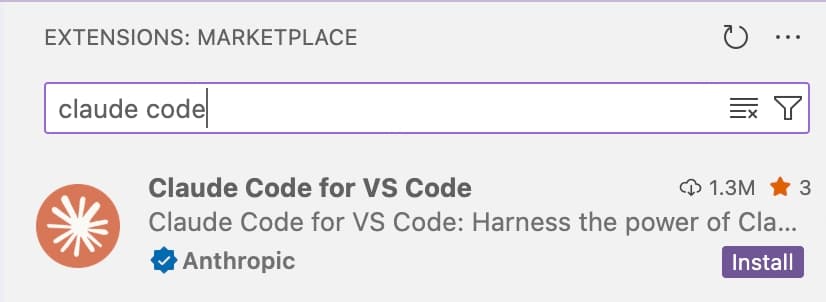
Open Settings
After installation, click Settings
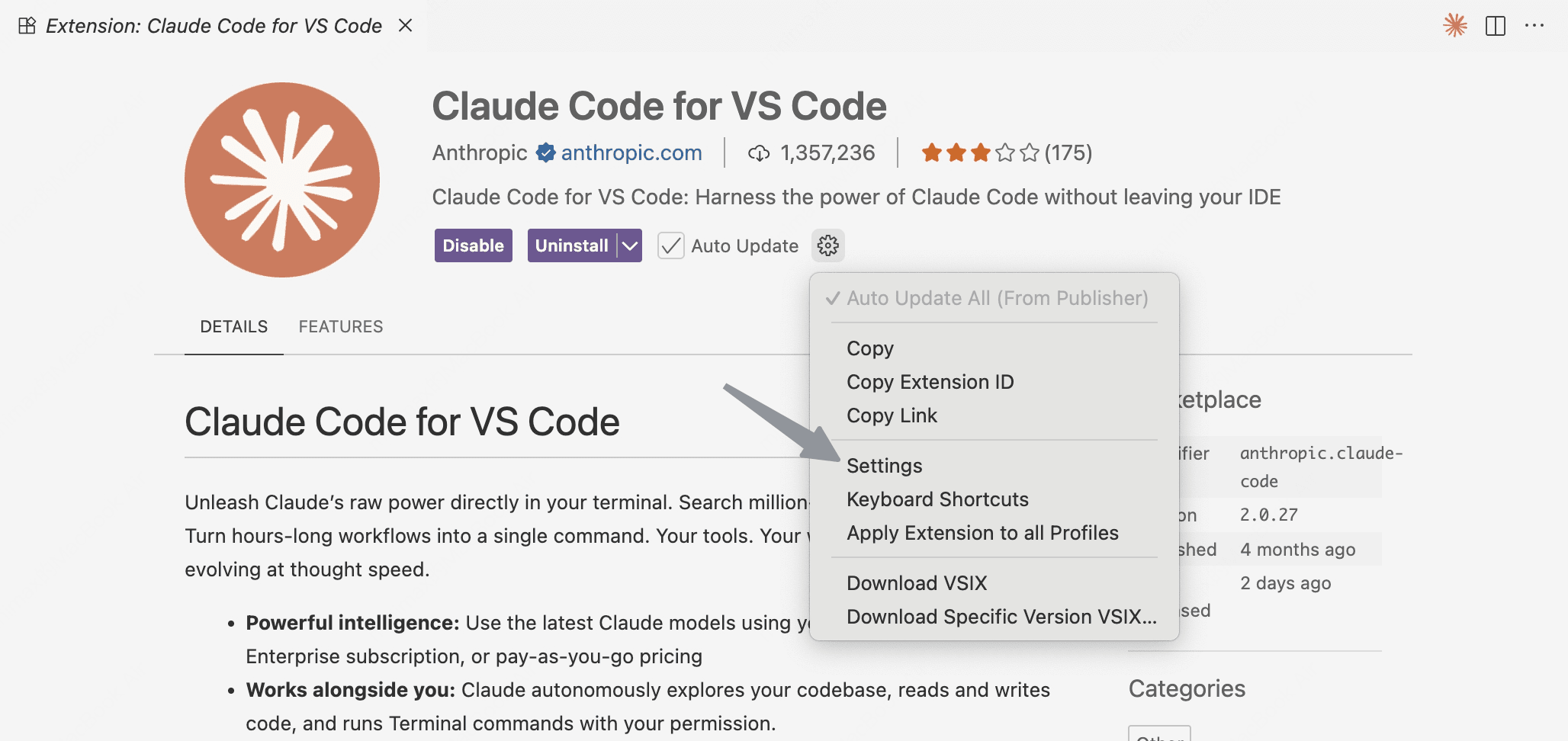
Configure Environment Variables
Click Edit in settings.json

Update the claudeCode.environmentVariables as following:
"claudeCode.environmentVariables": [
    {
        "name": "ANTHROPIC_BASE_URL",
        "value": "https://tokenoff.com/api",
    },
    {
        "name": "ANTHROPIC_AUTH_TOKEN",
        "value": "your_api_key_here",
    },
],
Supported Models
claude-sonnet-4-6
Claude Sonnet 4.6
claude-sonnet-4-5-20250929
Claude Sonnet 4.5
claude-sonnet-4-20250514
Claude Sonnet 4
claude-haiku-4-5-20251001
Claude Haiku 4.5
claude-opus-4-6
Claude Opus 4.6
claude-opus-4-5-20251101
Claude Opus 4.5
claude-opus-4-1-20250805
Claude Opus 4.1
claude-opus-4-20250514
Claude Opus 4